Stop paying monthly for every step of a screen recording
Recorder, editor, captions, silence cutting and GIF export in one Mac app, paid once. What the usual subscriptions cost and what this does not replace.
One screen recording that is fit to post usually passes through four or five apps: a teleprompter, a recorder, an editor, a captions tool, something that cuts the silences, and a converter for the GIF in the README. Most of those are subscriptions now, priced per month and per seat.
Screen Records does all of those steps in one Mac app. It is free to use with no recording limit, and $29 once if you want the corner badge off your exports. Below is what it replaces, what the usual stack costs, and the few things it does not replace, so you can tell which of your subscriptions you could cancel.
What the usual stack costs
These are the published prices, checked on each tool's own pricing page in October 2026. Prices change, so look again before you decide anything.
| Tool | What you pay it for | Price |
|---|---|---|
| Screen Studio | Recording with automatic zooms and polish | $9 a month billed yearly, $108 a year |
| Descript, Hobbyist plan | Editing by transcript, captions | $16 a month billed yearly, $24 month to month |
| Submagic, Starter plan | Animated captions for short videos | $12 a month billed yearly, $19 month to month, 15 videos a month up to 2 minutes each |
| Loom, Business plan | Recording, trimming, downloads | $18 per user per month, about $15 billed yearly |
Nobody pays for all four. A common pair is a recorder plus a captions app: Screen Studio and Submagic on yearly billing come to $252 a year, and $756 over three years. Descript alone on its cheapest paid plan is $192 a year.
A Screen Records license is $29 once for one Mac, or $49 for three. Updates are included, and there is nothing to renew.
The recorder
Your whole display, one window, or a region you draw. The microphone, the sound your Mac is playing and your camera are recorded on separate tracks, so a loud notification can be muted later without touching your voice. System audio needs no extra driver.
The camera sits in a bubble you shape, place and blur. Background blur runs on your Mac while you record, and because the camera is its own track you can still move it, resize it or hide it for a stretch after you stop.
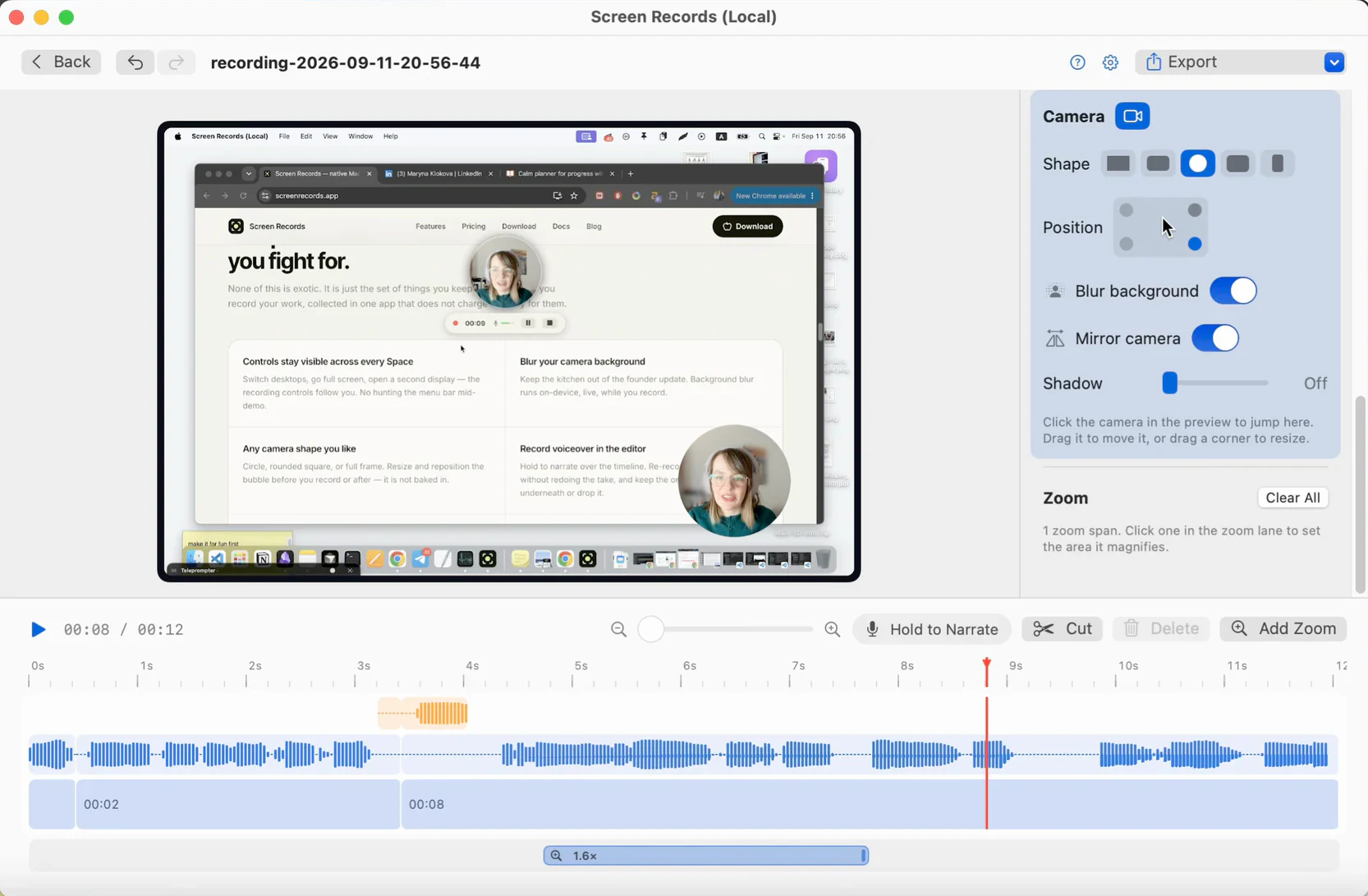
You can pause mid-take when the doorbell rings, and the paused time never makes it into the file. That alone saves one editing pass per video.
There is a teleprompter in the same window. Paste the script, and it scrolls over the app you are demoing at your reading pace without ever showing up in the video.
The editor
Cut, split and delete on a timeline, change speed, crop, add a background with padding, and switch the frame to 16:9, vertical or square for the platform you are posting to. Text and images go on top of the video. A sentence you fumbled gets re-recorded with Hold to Narrate while the screen part stays as it was.
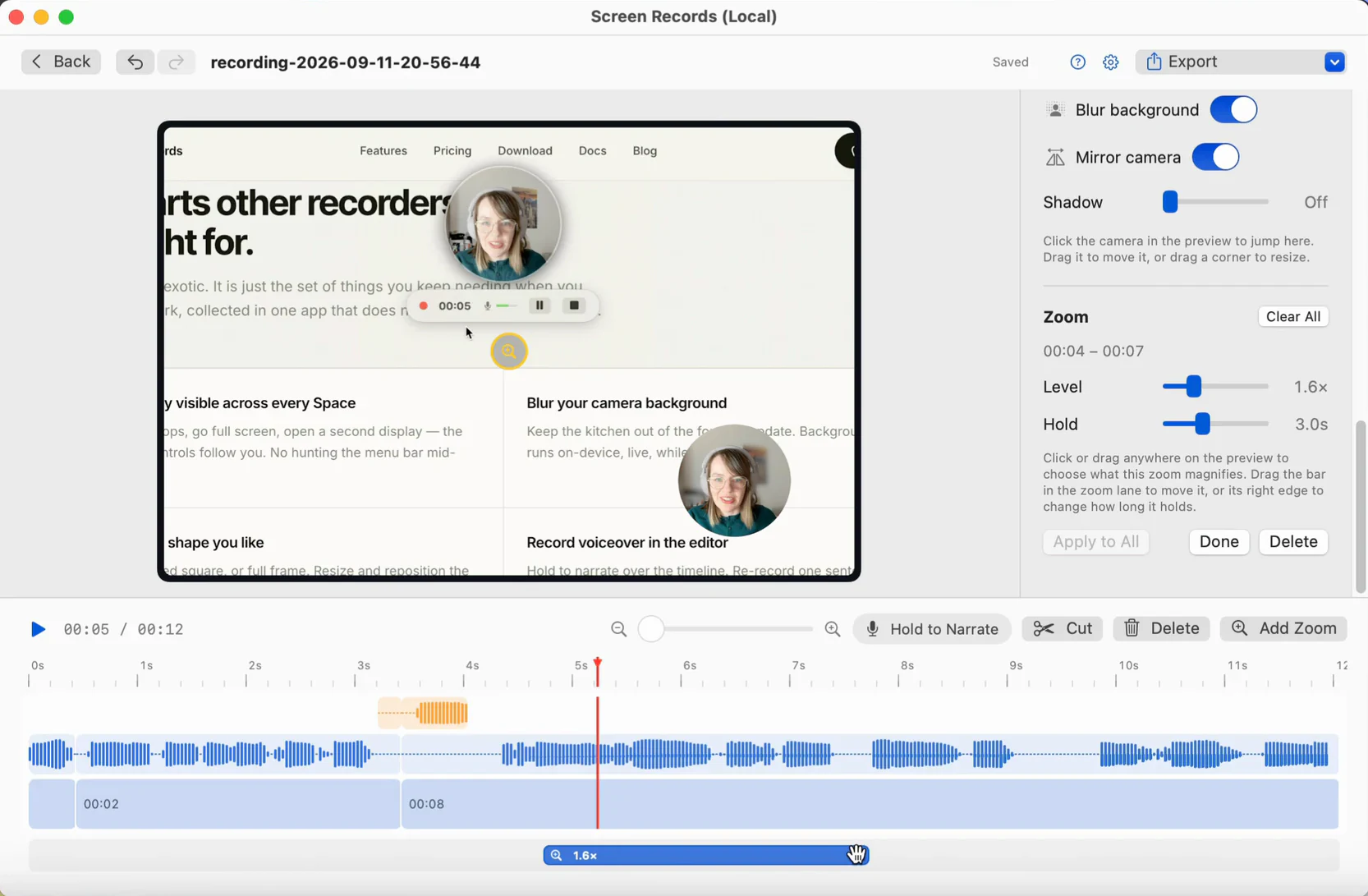
Zooms have their own lane under the clips. You click the part of the frame that matters, set how far in and how long to hold, and a cut earlier in the video moves the zoom along with it.
The captions tool
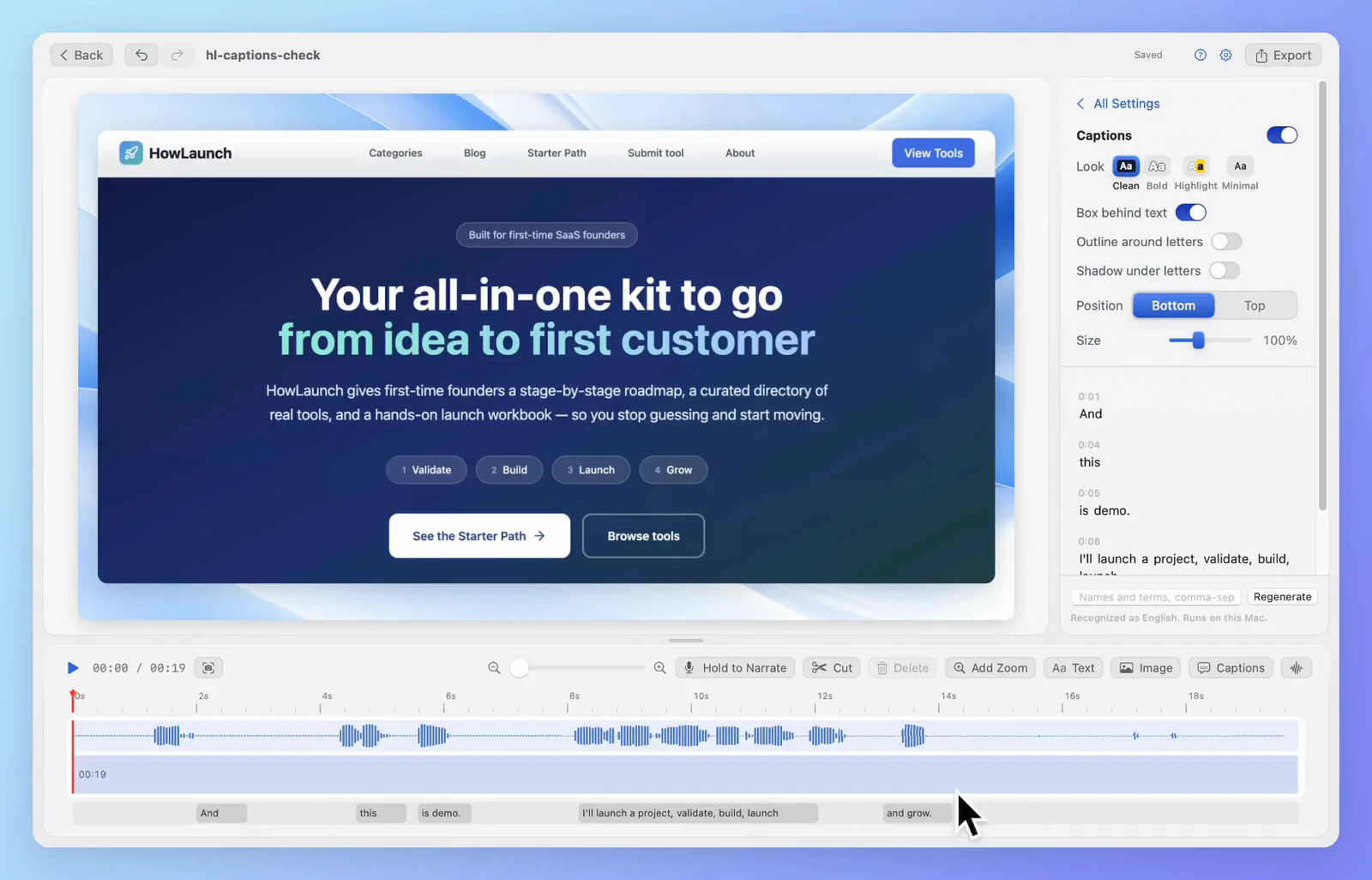
This is the line item people forget is a subscription. Screen Records transcribes on your Mac with Whisper medium, a 540 MB model it downloads once. Nothing is uploaded, there is no count of videos per month, and there is no length cap per video.
A misheard word gets fixed by typing over it. It comes with four looks, Clean, Bold, Highlight and Minimal, and Highlight puts each spoken word in a colored box as it is said.
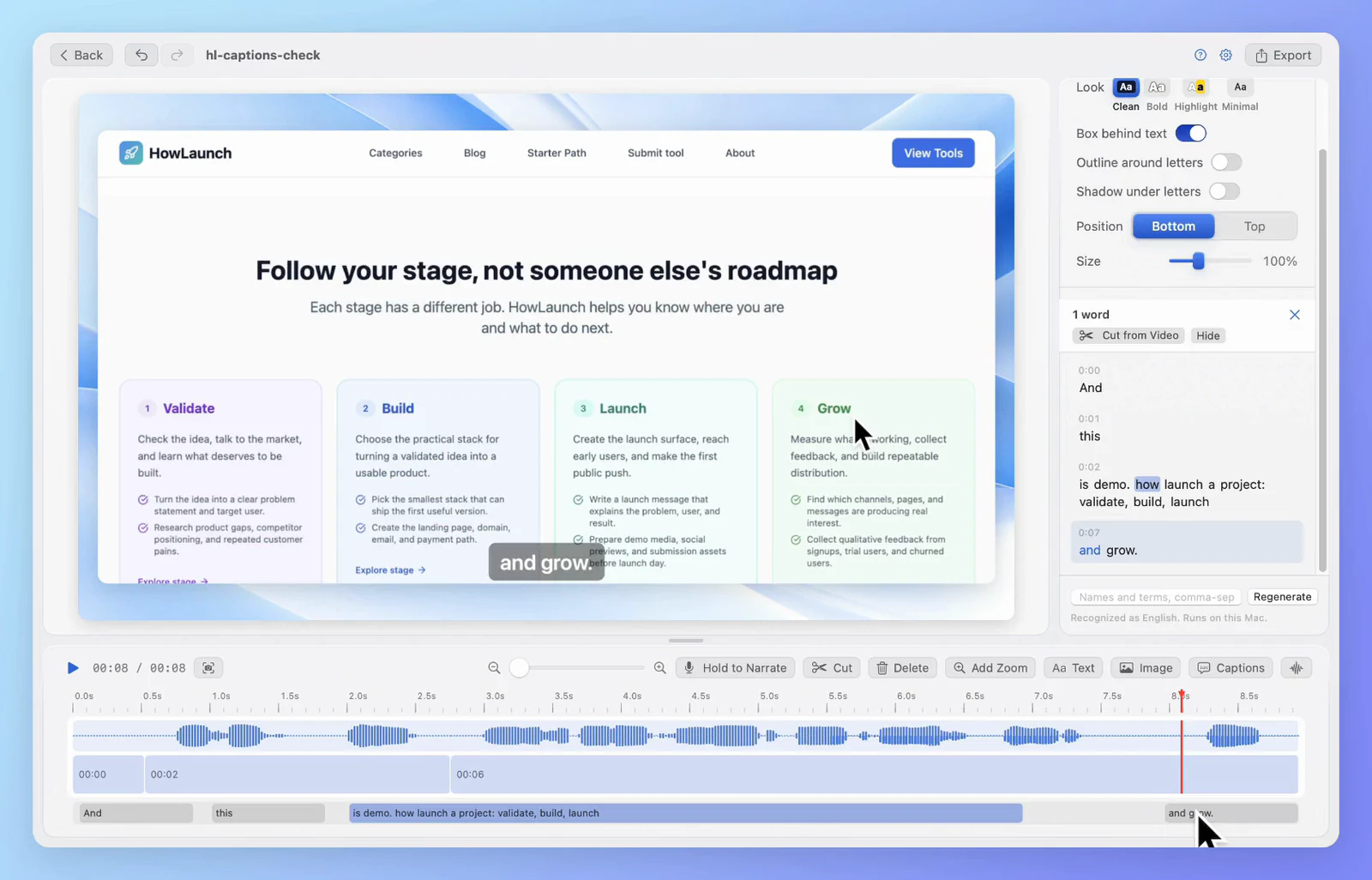
Burned-in captions are part of the free version. The license adds the captions as files, SRT, WebVTT or plain text, for YouTube or show notes.
The silence cutter
Remove Pauses deletes every silence longer than the threshold you set, in one step. By hand, that is the slowest part of any edit: finding each gap, splitting both ends, deleting, and doing it forty more times.
The small converters
GIF export is free, for the README, the changelog or the Slack message where a video will not autoplay. With a license, the edit's audio exports on its own as an M4A, which covers the podcast cut of a recorded talk.
The AI editor
If you already pay for Claude, ChatGPT, Codex or Cursor, you do not need another AI video subscription. The license turns on a built-in MCP server, and the assistant you already have can cut the pauses, add captions and zooms, and export, with each change showing in the editor as one step you can undo. Here is one real edit, start to finish.
What it does not replace
Some subscriptions are worth keeping, and it is cheaper to know which before you cancel.
- Share links and viewer stats. Loom gives you a URL the moment you stop, with comments and a count of who watched. Screen Records makes a file. If the link is the product for you, compare the two first.
- A team library. Recordings stay on your Mac. There is no shared workspace.
- Real film editing. Music beds, color grading and multicam belong in Final Cut, Premiere or DaVinci Resolve.
- Windows. It is a Mac app, for Apple Silicon Macs (M1 or later) on macOS 14 or later.
Try it before you cancel anything
Record the video you would normally make this week, in the free version. Use the editor and captions as much as you like. The only difference from the paid app is the small badge in the corner of exports, plus audio files, caption files and AI editing. If it covers your week, cancel the subscriptions it replaced and buy the license when the badge starts to matter.
Share this post
Keep reading
- ComparisonFree screen recorders for Mac with no watermarkWhich Mac screen recorders are free with no watermark, which are trials or capped plans, and a 60-second test to run before you record a real take.
- ComparisonA ScreenFlow alternative for people who use a fifth of itWhat ScreenFlow costs and does, why people switch, and which Mac alternative fits: a recorder with an editor, automatic polish, free tools or a pro NLE.
- Product updateScreen Records is now free, with no recording limitVersion 0.1.7 drops the three-recording trial. Record and export as much as you like; free videos carry a small corner badge that a one-time license removes.