Screen Charm alternative: Screen Records vs Screen Charm
Screen Charm is $19 a month or $89 a year. Screen Records is paid once, and Claude or ChatGPT can record and edit the demo for you.
Screen Records can do the job for you, and you pay for it once. Ask Claude, ChatGPT or Codex for a demo, and the assistant records your app, cuts the waiting, zooms on each click and labels each step while you watch the editor. Screen Charm polishes a recording you make yourself, adding zooms and motion blur automatically, and you pay for it every month or every year. Both are Mac apps for turning a screen capture into a video worth posting, and both caption, blur, pause and export vertical video.
Everything below about Screen Charm was read off its own website and changelog on November 18, 2026, at version 1.12.0 (October 23, 2026). Everything about Screen Records describes version 0.1.9, released November 10, 2026. Both apps ship every few weeks, so check their current pages before you buy.
The short version
Choose Screen Records if you want Claude, ChatGPT or Codex to record and edit the demo for you, or if you would rather pay once. It is $29 once for one Mac or $49 once for three at the current price, with no renewal. Before you buy, it is free with no recording limit, and exports carry a small badge.
Choose Screen Charm if you want polish with no setup and a link you can paste into Slack when you finish. Its click zooms are on from the first recording, and it adds motion blur and microphone cleanup, which Screen Records doesn't have. It is a subscription: $19 a month, or $89 a year, for up to 3 Macs.
On the monthly plan, 3 months of Screen Charm, $57, cost more than a three-Mac Screen Records license.
Where Screen Records is the better fit
An AI assistant records and edits for you
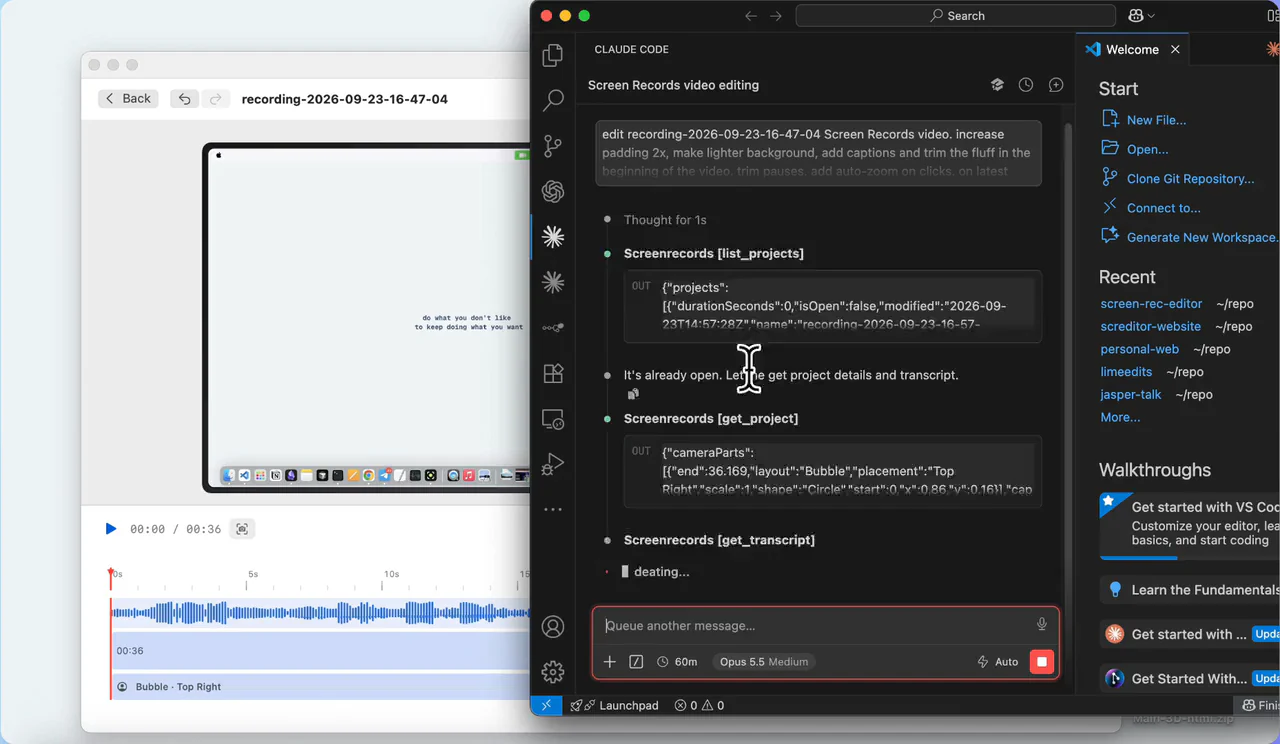
Screen Records runs an MCP server inside the app. Connect Claude Code, Claude Desktop, ChatGPT, Codex or Cursor, and the assistant can open a project, read the transcript, look at frames, cut the false start and the pauses, place zooms, add captions and export. It can also record a demo on its own: click through your app, mark each step, then cut the waiting and label each step. You watch every change land in the editor and undo what you disagree with. AI editing comes with the license, and setup is on the MCP page.
Paying once
Screen Charm is sold as a subscription. The yearly plan is $89 every year, so two years come to $178. A Screen Records license is $29 for one Mac or $49 for three, and it keeps working without a renewal. The price rises in steps as more licenses sell, and the full ladder is on the pricing page.
You can also use Screen Records without paying at all. Recording, editing and video and GIF export have no limit, and exports carry a small corner badge until you buy.
Recordings that stay on your Mac
Screen Records has no cloud features. Projects live in a folder you choose, captions come from a Whisper model running on your Mac, and a file leaves your Mac only when you move it.
Screen Charm also saves recordings locally, and its share links are optional.
Fixing a sentence and a layout after the take
Mute the stretch where you misspoke and narrate that sentence again over the same footage. If the video has captions, the new take is transcribed and its words replace the old ones. Remove Pauses cuts every silence longer than a length you pick. The camera can be full screen for the intro, a bubble for the demo and hidden for the rest, each on its own stretch of the timeline. Text, images and video clips sit over the recording and stay put through zooms.
Captions you can take elsewhere
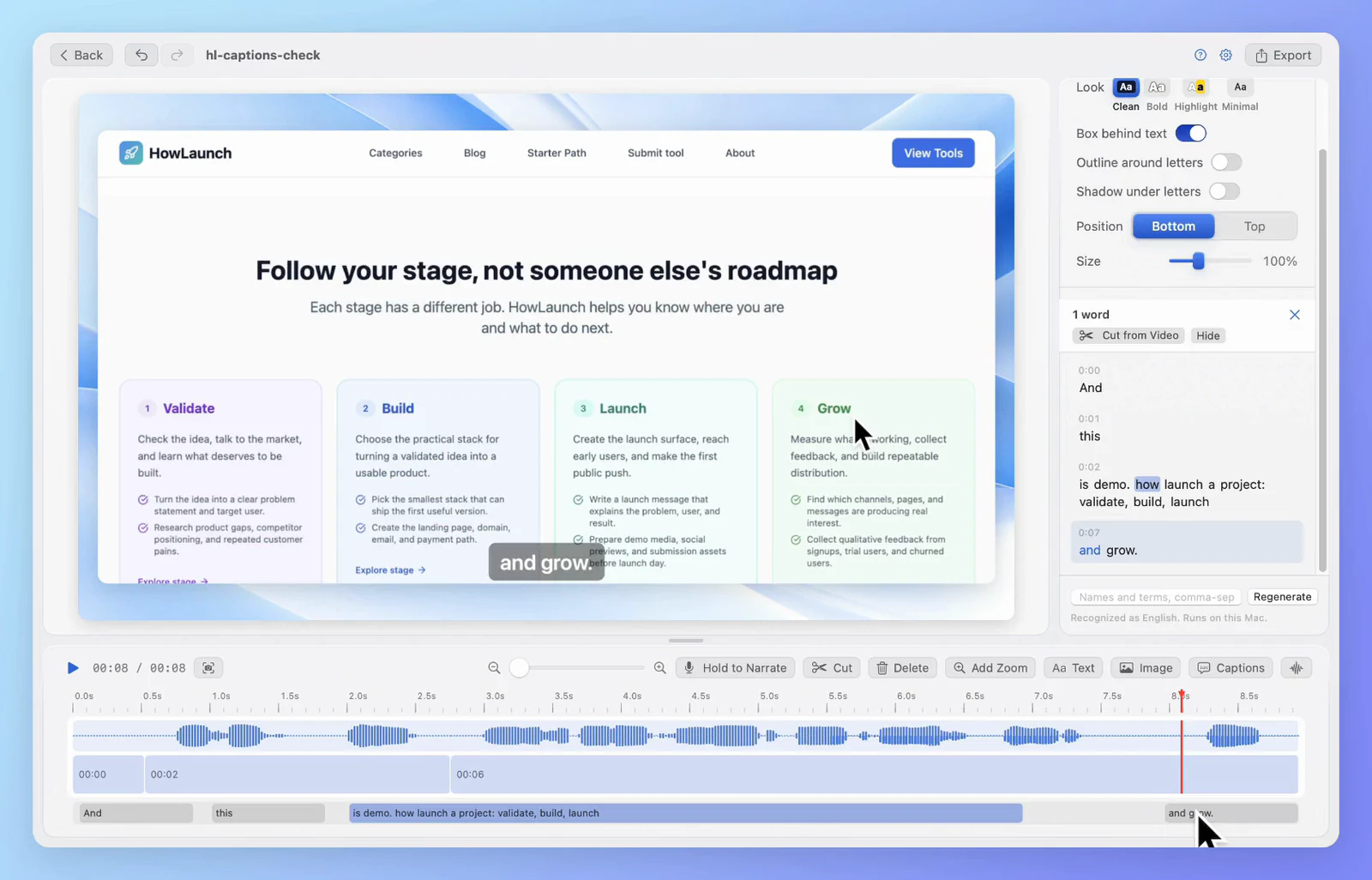
Both apps burn in styled captions. With a license, Screen Records also exports them as SRT, WebVTT or plain text for YouTube or a course platform. GIF export is free. More on the captions page.
Lighter on your Mac
Screen Charm is an Electron app, so it carries its own copy of a Chromium browser engine. The
1.12.0 download is 279 MB, and the installed app takes 508 MB, 253 MB of it the Electron
framework.
Screen Records is a native Swift app: the 0.1.9 download is 5.5 MB, and it takes
12 MB installed. We measured both on November 18, 2026.
It is lighter while it runs, too. On our benchmark Mac in September, Screen Charm 1.11.2 used 440 MB of memory and 47% of one CPU core sitting idle with its recording bar open. Screen Records 0.1.5 idled at 115 MB and 0.4%. Those are older versions of both apps; the method and raw CSV are on the statistics page.
Controls on every Space
If your demo moves between macOS Spaces or into a full-screen app, the Screen Records control pill comes with you. Elapsed time, Pause, Stop, Mic levels and the camera bubble stay on screen wherever you switch, so you never have to go back to the first desktop to end the take.
Where Screen Charm is the better fit
- More automatic polish. Screen Charm zooms toward every click by default, adds motion blur to fast cursor moves and zooms, and draws a ripple on each click. Screen Records also zooms on clicks and smooths the cursor, but Zoom on clicks is a switch you turn on per project, and it has no motion blur or click effects.
- Share links. One click uploads the video, and anyone with the link can watch it in a browser with no account. Uploads go up to 2 GB. Screen Records exports a file, and you share it however you already share files.
- Microphone cleanup. One switch removes hiss, keyboard clicks and room noise. Screen Records keeps the microphone as recorded.
- Background music and device frames. Screen Charm puts music under the voice and can wrap the recording in a MacBook frame.
- Camera background removal. Added in 1.12.0, processed on the Mac. Screen Records blurs the background behind you instead of removing it.
If your recordings go straight into a team chat and you want them to look finished without a second pass, Screen Charm is built for that.
Pricing and platform side by side
| Screen Records | Screen Charm | |
|---|---|---|
| Payment model | One-time license | Subscription |
| Published price | $29 for one Mac, $49 for three (current price) | $19/month, or $89/year |
| Mac allowance | 1 Mac, or 3 Macs | 3 Macs |
| Free use | Record, edit and export video and GIF with no limit; exports carry a small corner badge | You can record, but export needs payment |
| Refunds | 14 days | 14 days |
| Uploads | None; no cloud features | Optional share links, up to 2 GB |
| Zoom on clicks | Optional switch per project, with a level | On by default |
| Motion blur, click effects | No | Yes |
| AI assistant records and edits (MCP) | Claude, ChatGPT, Codex, Cursor; with a license | — |
| Caption files | SRT, WebVTT, plain text; with a license | — |
| GIF export | Yes, free | — |
| Built with | Native Swift | Electron |
| App size on disk | 12 MB | 508 MB |
| Idle CPU, recording bar open | 0.4% (0.1.5, September) | 47% of one core (1.11.2, September) |
| macOS | macOS 14+; Apple silicon | macOS 14 recommended |
| Version compared | 0.1.9 | 1.12.0 |
A dash means the app's website and changelog do not list the feature.
Both apps record the screen, a window or an area with camera, microphone and system audio. Both pause mid-take, smooth and resize the cursor, blur sensitive areas, change playback speed, show a teleprompter that stays out of the video, and export vertical video for Reels, Shorts and TikTok.
Questions about Screen Charm
Is there a Screen Charm alternative without a subscription?
Yes. Screen Records is a one-time license: $29 for one Mac or $49 for three at the current price, with no renewal.
Can you use Screen Charm for free?
You can record in Screen Charm without paying, but exporting a video needs a paid plan.
Why does Screen Charm take so much space?
It is an Electron app, so it carries its own copy of a Chromium browser engine: version 1.12.0 takes 508 MB installed.
Can an AI assistant edit videos in Screen Charm?
Screen Charm's website and changelog do not list one. In Screen Records, Claude, ChatGPT, Codex or Cursor can record and edit the video over the MCP server built into the app.
What to try before deciding
Record the same two-minute demo in both apps. Fumble one sentence in the middle, then fix it, add captions and export for the place you will actually post it. If you kept every automatic zoom Screen Charm made, it saved you real time. If you deleted half of them, you wanted an editor.
Screen Records is free to download, with no recording limit.
Share this comparison
Keep reading
- ComparisonShotGlass alternative: Screen Records vs ShotGlassShotGlass makes 3D product shots. Screen Records makes videos you narrate, with captions on your Mac, a camera and an AI agent that edits them.
- ComparisonStop paying monthly for every step of a screen recordingRecorder, editor, captions, silence cutting and GIF export in one Mac app, paid once. What the usual subscriptions cost and what this does not replace.
- GuideAsk your AI agent to install Screen RecordsClaude Code or Codex can install the app from a terminal. With a license and AI editing on, it then can record, edit and export videos on its own.